Welcome to TooBig3D.
TOO BIG 3D Sign In Start Free ›
HomeFeaturesAIPricingFAQSign InStart Free
AI-powered. Maker approved.

Make impossible possible.

TooBig3D uses browser-based large-model preparation with AI-assisted cut suggestions and analysis you review, plus predictable geometric slicing when you only need build-plate fit.

⌬
Auto Slice
to Fit
Geometric build-plate cuts
✦
AI Semantic
Split
Natural part boundaries · cloud AI
⛓
Auto AssemblyPins, holes & labels
▣
Print ReadyOptimized for any slicer
Two segmented android models shown assembled and exploded into printable parts

From impossible to printable.Browser-based prep with AI-assisted suggestions and manual control.

01

Import

Bring in any STL, OBJ, or 3MF model.

Model import preview
02

AI Process

AI-assisted analysis with cut and assembly suggestions you review and confirm.
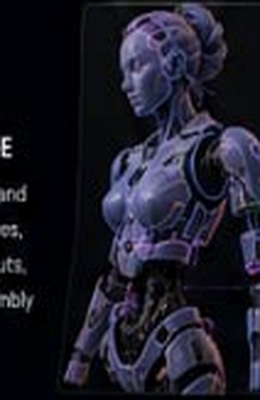
AI seam processing preview
03

Organize

Parts are arranged, labeled, and prepared for printing.
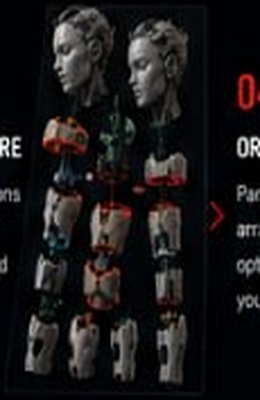
Organized printable parts preview
04

Print & Assemble

Print with confidence and bring your model to life.

Assembly preview

Everything you need. AI when it helps.

Two Split Modes

Use straight geometric cuts for predictable build-plate planning, or choose the optional higher-cost AI Semantic Split for natural part boundaries and completed hidden surfaces.

Mesh Repair

Suggests repairs for holes, manifold issues, and other mesh errors—review and apply manually.

Auto Alignment

Creates precision pins, holes, and interlocks for perfect assembly.

Print Prepared

Optimized orientation, nesting, and support-aware output.

Assembly Ready

Labeled parts, guides, and instructions make assembly simple.

Model Library Search

Browse Thingiverse, Printables, Thangs, and MyMiniFactory, preview thumbnails, and start from a community model.

Why makers switch to TooBig3D.Keep the original promise: less CAD pain, more printable parts.

Plain-English print prep

Tell TooBig3D what you need — slice this helmet, add alignment, label parts, repair the mesh — and keep moving instead of rebuilding the workflow by hand.

Large models without desktop crashes

Browser-based cloud processing is built for oversized files and multipart exports, so makers are not trapped by aging desktop utilities or local memory limits.

Assembly planned from the start

Cuts, pegs, labels, exploded views, and slicer-ready exports are treated as one workflow instead of disconnected chores.

Two workflow modes: simple when you need speed, advanced when you need control.

Simple Mode

Use AI-guided defaults and natural-language commands when you want to get from model to printable parts quickly.

  • Fast guided actions
  • Build-plate aware auto-slicing
  • Repair, labels, and export prompts

Advanced Mode

Drop into precision tools when the model needs surgical control over cuts, seams, face selections, pegs, labels, and inspection.

  • Manual cut and selection controls
  • Ghost view and command history
  • Fine-grained assembly prep

Safe & Secure — Unlike Sketchy Desktop Apps.No random installers. No mystery workflow. Your slicer still stays in the loop.

Browser-based

No sketchy desktop download required. Sign in, upload, prepare, export, and delete files from your account when you need to.

Private by default

Private uploads are not used to train public AI models by default. Retention by plan: Free 7 days, Hobbyist 30 days, Maker Pro 90 days, Lifetime 365 days, with manual delete controls.

Works with your favorite slicer

Export organized STL/ZIP and 3MF-style workflows for Bambu Studio, Orca Slicer, PrusaSlicer, Cura, and the slicer you already trust.

“

TooBig3D changes the way makers prepare large prints — from oversized model to printable parts without CAD pain.

— Maker workflow promise
1GB+Large model workflows
4Core prep steps
0Desktop installs required
Exports for slicers makers already use
BambuOrcaCuraPrusa